
How the adult next to your child makes a video call better: 5 tips
In short. If you sit next to a little one while Dad, Mom or Grandma calls, you do more for that call than it seems. Five simple things help: point at the screen and name what's on it; bring toys up to the camera; move the phone to follow the child; calmly explain freezes; let the child go when they've had enough.
You can forward this note to whoever holds the phone on the child's side: Mom, Dad, Grandma, the nanny. You owe nothing to the person calling, and you don't have to run the call. But a small child has a hard time without you: children start to understand that the face on the screen is a real loved one at around 18–24 months (AAP, 2026). Until then, it's largely you who helps them understand what's happening on the screen.
What the adult next to the child should do during a video call: a checklist
- Point and name. "Look, Daddy's holding a ball!"
- Bring toys up to the camera. And if the caller shows a toy car, bring the same one or something similar.
- Move the phone to follow the child. Ran off to the blocks — let the blocks be in the frame.
- Explain freezes. "The picture froze, Grandma didn't leave. She'll be back in a moment."
- Don't keep them at the screen. Had enough — they can go. A short call is better than a forced one.
Why a child needs an adult nearby during a video call
The American Academy of Pediatrics (AAP) spells out what the adult next to a little one should do: point at and name everything visible on the screen — both what the caller is doing and what it means. For example: "Look, Daddy's holding a sandwich!" or "See the funny face Grandma's making?" (AAP, 2026).
Video chat researchers Strouse, McClure, Myers, Zosh and colleagues, in a 2021 review, cite an observation of infants' calls with grandparents (McClure and colleagues, 2018). An infant's attention was linked to how often the whole family was looking at the same thing: for example, when the parent brought toys to the screen or helped the grandmother on the screen read the child a book (Strouse et al., 2021). This is a link found in an observation, not an exact recipe, but the direction is clear: on this call you are not a spectator, you are a participant.
How to point at and name what's on the screen
It's hard for a little one to figure out where to look. The caller can say "look here" as much as they like, but the child doesn't know where "here" is. You do.
- Point at the screen and name it: "There's Mommy. Mommy's waving. Wave to Mommy."
- Name what the caller is doing: "Grandpa's putting on a hat. That's funny."
- Repeat the caller's question more simply if the child didn't get it: "Daddy's asking: where's teddy?"
- Say out loud what the child is doing, so the caller understands and can respond: "He's showing you his new shovel."
You don't need to talk a lot. A couple of short phrases at the right moment help more than a running commentary. This is advice from practice, not a research finding.
A toy at the camera and a matching object
When you bring whatever the child is busy with up to the camera, the caller gets something to talk about, and the child gets a reason to show off their things. AAP advises keeping the same toys at hand during video chat, so the call is tied to something familiar.
Another trick from practice: if the caller shows an object, bring the same one or something similar — a spoon, a ball, a book, a stuffed bunny. When both of you are holding the same thing, it's easier for the little one to understand what you're talking about and to play "together" through the screen.
The child ran off: move the phone
Little ones often walk away from the screen in the middle of a call, and that's normal — more in the article “Toddler runs away from video calls”.
Instead of bringing the child back to the phone, you can bring the phone to the child. Researchers note that a phone or tablet can be moved around to show what's happening in the room, and that this is one of the advantages of video calls (Strouse et al., 2021). Set the phone so the caller can see what the child is playing — then they can comment on the game instead of calling into empty space.
The picture froze: what to tell the child
AAP advises explaining to the child what's happening if technical problems start. The review by Strouse and colleagues describes how parents in one study did this: they explained to the little one that the call dropped because of the connection, not because Grandma left, and then turned the glitch into a game of peekaboo with Grandma.
What you can say:
- "The picture froze. Daddy can hear us, the internet is just slow."
- "Grandma didn't leave, the connection dropped. We'll call her again in a moment."
- "Peekaboo! Where's Mommy? There's Mommy!" — when the picture comes back.
More phrases and tips on preparing your child in advance are in the article “Video call froze? What to tell your child”.
Don't turn the call into a chore
There's no need to keep the child at the screen, to coax "sit a little longer" or "tell Daddy how much you love him." Let the call stay a joy for them, not a duty: if the child went off to play, the call didn't fail. This is advice from practice.
In a large survey of grandparents, closeness with a grandchild was linked to how often the family calls and how varied the activities on the calls are, while call length wasn't studied there (more). So there's no point keeping the child for extra minutes. If the little one is tired, hungry or absorbed in play, you can tell the caller: "Let's keep it short today." How to end a call gently is in the article “How to end a video call without tears”.
If it bothers you that the little one is looking at a screen at all: pediatricians set video calls with loved ones apart from cartoons, more in the article “Video calls are not screen time”.
You do more than it seems
A call with a small child is work both for those nearby and for the person on the screen. The same review cites a finding from another study (Sher and colleagues, 2018): for parents and grandparents such calls were sometimes emotionally hard, especially when the child seemed disengaged despite all their efforts. If you sometimes feel like giving up, it doesn't mean you're doing something wrong. It happens to others too.
How laketa works
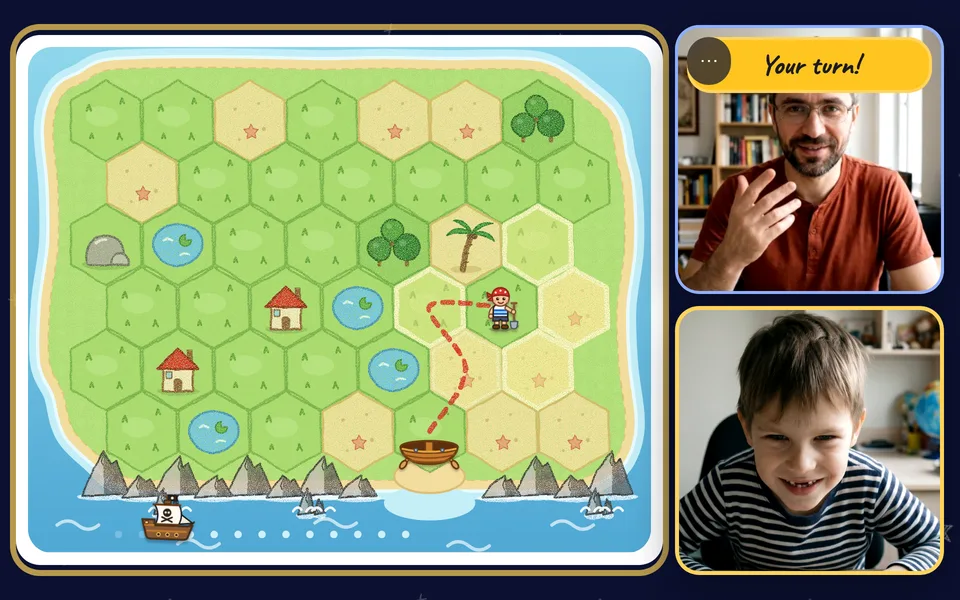
I'm building laketa for parents and grandparents who call children from far away. The child opens one link — no app and no sign-up — and the adult nearby doesn't need to install anything. On the call you can draw together or play a simple game, so the child has something to do with the person on the screen.
Sources accessed 2026-10-09. This article is not a substitute for advice from a pediatrician or psychologist.
Frequently asked questions
- What should the adult next to a child do during a video call?
- Point at the screen and name what's happening, bring toys up to the camera, move the phone to follow the child and explain freezes. The American Academy of Pediatrics explicitly advises the adult nearby to point at and name what is visible on the screen.
- How can the adult nearby explain to a child that the call froze?
- Calmly explain that it's the connection, not that the person left: “The picture froze, Daddy can hear us.” AAP advises explaining technical glitches to the child, and parents in one study turned them into a game of peekaboo.
- Should I make my child sit by the phone during a call?
- No. Little ones often walk away from the screen, and that's normal. It's better to move the phone to where the child is playing, or to end the call earlier.
- How do I keep a toddler's attention during a video call with Grandma?
- The adult nearby helps: in one observation, infants' attention was linked to how often the parent brought toys to the screen or helped the grandmother on the screen read a book. Holding the same object on both sides also works well.