
Video call froze? What to tell your child when the connection drops
In short. When the picture freezes, tell your child in simple words what happened: "I'm here, the picture just froze. I can hear you." Until the video comes back, sing a familiar song with your voice. AAP advises explaining technical glitches to little ones, and video chat researchers note that parents and grandparents of infants often helped the child get through a glitch calmly.
You make a funny face for your child, and on their screen it freezes mid-word. For an adult that's routine. But for a two-year-old it can look scary: someone close was just laughing and now isn't moving or answering. It's better to think through in advance what to say in that moment.
Does everyone's video call freeze, or just ours?
Almost everyone's. In a 2021 survey by Strouse and colleagues, answered by 855 grandparents and 846 parents of children aged 0–5, frozen video or audio was named among video call problems by 52% of parents and 42% of grandparents, and dropped calls by 29% and 22% (Strouse et al., 2021).
The good news from the same study: technical problems were not linked to how close grandparents were to their grandchildren. The authors suggest that families got used to explaining to little ones what was going on, and they cite observations by McClure and Barr from 2017: in grandparents' video calls with infants, freezes and dropped calls happened often, but the adults explained to the child what was happening and often got through the glitch calmly.
What to tell your child when the picture freezes
The American Academy of Pediatrics (AAP) puts it briefly: if there are technical difficulties, explain to your child what is happening (AAP, 2026). The exact words below are from practice, not from research:
- "I'm here, the picture just froze. I can hear you." The key is to separate the person from the picture. "Gone" and "the picture froze" sound different to a little one.
- "Let's sing our song for now." If the sound is still working, switch to your voice: a song, a nursery rhyme, funny noises. Your child has something to do until the picture comes back.
- "Show me your teddy up close." If the video hasn't frozen but has gone blurry, a big object right at the camera is easier to see than small details. Same for you: bring the toy close.
- "I'm going to call you again right now." If the call dropped, say this as soon as the connection is back, or ask the adult next to your child to say it for you: "They're calling us back right now."
The adult next to your child should say the same thing in the same tone. A calm "the picture froze, it'll be back in a moment" works better than fussing over the phone. You can forward these phrases to them along with the tips for the adult next to the child.
How to prepare your child for a bad connection in advance
- Say it once, at a calm moment: "Sometimes the picture freezes. That's the internet, and I'm still here."
- Agree on a "glitch song." The same short song you sing whenever the video freezes. Over time, a freeze becomes the cue for something familiar.
- Turn it into a game. With older kids you can play "freeze": "The picture froze! Can you freeze too?"
- Keep a couple of things at hand — a toy, a book — so you don't have to search for something to fill the pause.
The review's authors suggest that glitches like these, with an adult's support, may help young children gradually understand how what's on the screen is connected to the real world but isn't the same as it. This is a hypothesis, not a tested conclusion.
How to improve the connection on a video call
Simple things that help most often:
- Move closer to the router. If you're on Wi-Fi, sit nearer to it or in the same room. Ask the adult next to your child to do the same.
- Close what you don't need. Other apps, downloads, a video in another tab and updates on the same device or network all eat up bandwidth.
- Turn off notifications for the call — both for the connection and so nothing distracts you.
- Plug in your phone if the call is long.
- Turn off your own video if the picture keeps breaking up. Your child will still hear you and you'll still see them, and that's better than a call that falls apart every ten seconds.
- Switch to voice if nothing else helps.
Voice is a good backup, but not a full substitute for video for a little one. In a study by Tarasuik, Galligan and Kaufman, children aged 2–3.5 played more and showed more joy on a video call with a parent than on an audio call (Frontiers in Psychology, 2013). So once the connection recovers, it's worth turning the video back on.
When it's better to end the call
If the connection keeps dropping and your child starts getting angry or crying, end the call with your usual goodbye and call back later. A short call with a good ending is better than a long one that ended in tears. This is advice from practice. If your child often walks away from the screen even without glitches, take a look at the article “Toddler runs away from video calls”.
How laketa works
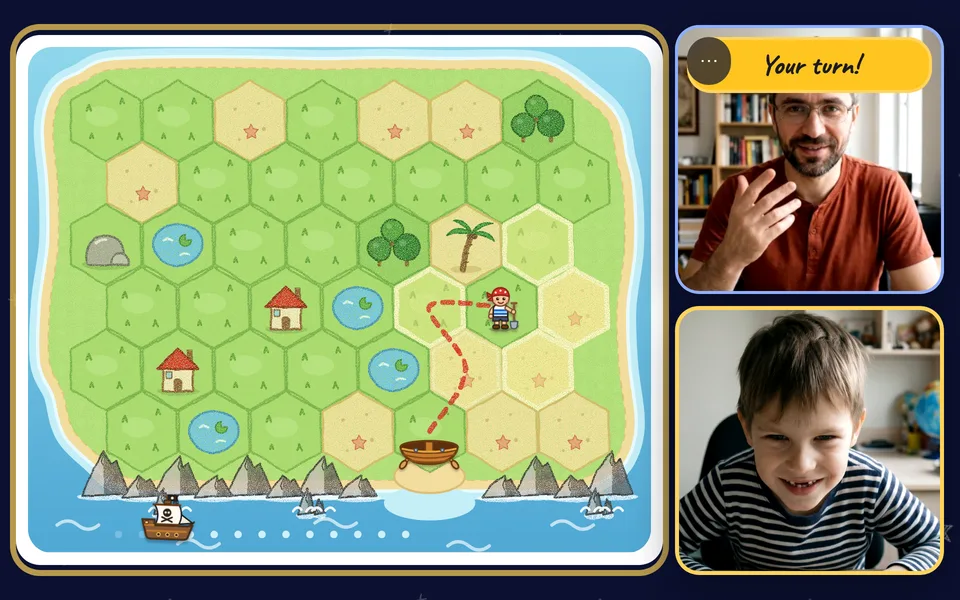
I'm building laketa for parents who call their children from far away. When the connection weakens, laketa lowers the video quality first and tries to keep the sound, so a song sung with your voice can still be heard even if the picture gets worse. The child joins through one permanent link, with no app and no sign-up, and on the call you can draw and play together.
Sources accessed 2026-10-09. This article is not a substitute for advice from a pediatrician or psychologist.
Frequently asked questions
- What should I tell my child if the video call freezes?
- Briefly and calmly explain what happened: “I'm here, the picture just froze. I can hear you.” The American Academy of Pediatrics advises explaining technical glitches to the child.
- How do I keep a toddler busy until the picture comes back?
- If the sound is still working, sing a familiar song or nursery rhyme with your voice. If the video has gone blurry, bring a toy close to the camera — a big object is easier to see.
- What if the video call keeps freezing?
- Sit closer to the router, close other apps and downloads, turn off your own video or switch to voice. If the connection keeps dropping, end the call with your usual goodbye and call back later.
- Does a bad connection hurt closeness with my child?
- In a survey of more than 1,700 grandparents and parents, technical problems were not linked to grandparents' closeness with their grandchildren. In another study (McClure and Barr, 2017), adults often explained a glitch to the infant and got through it calmly.